Track your Projects and Experiments
How to use Projects
The Project acts as a container for multiple activities exploring a particular research question. You can think of it as a conceptual framework to structure a set of Discourse nodes related to a certain research goal.
Use Project pages to
- Prioritize experiments
- Stay oriented toward and reflect on your progress toward your project target/question
- Keep relevant resources at hand (links, etc)
The Project structure facilitates the creation of a traditional research narrative and aids in keeping track of all the moving parts that go into a scientific ms.
Examples
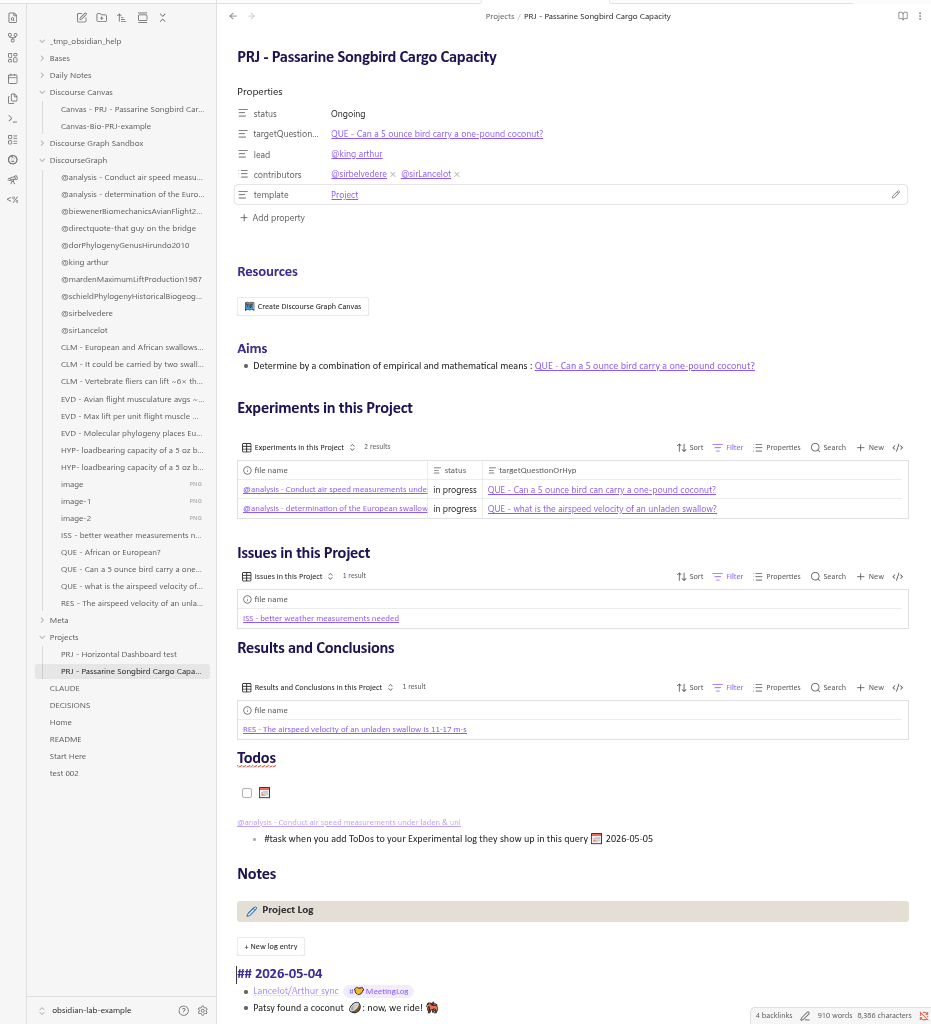
The discourse graph example vault contains an example project page, PRJ - Passarine Songbird Cargo Capacity, that demonstrates a project structure appropriate to experimental research.
-
The Resources section can be used to organize protocols, references, datasets, reagent lists, etc. It’s also a convenient spot to pre-register your working Hypothesis
-
The Create Discourse Graph Canvas button will automatically spin up a discourse canvas named after the project for visual organization of your ideas.
-
The Experiments, Issues, & Results Bases can be used to keep track of multiple active experiments and filter by status, observations made from those experiments (Results), and ideas for future experiments (Issues).
-
The ToDo list collects tasks tagged
PRJ - Passarine Songbird Cargo Capacity -
The Project Log can be used to keep track of project updates and link project-relevant information from other parts of your graph. Like your Daily Notes Page, it has a button function for regular entries.
-
the Project Meeting Notes log will collect references to this project made in meeting notes throughout this graph.
How to Create a Project
Create a new project by
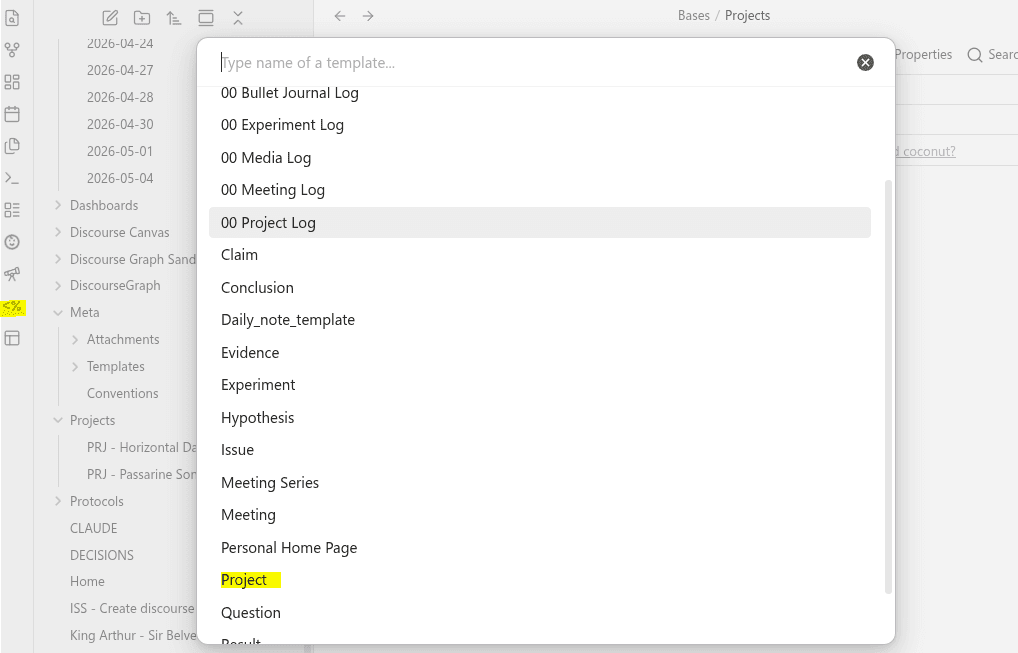
- Creating a new note in the “Projects” Folder and applying the Project Template from the Templater menu in the left sidebar
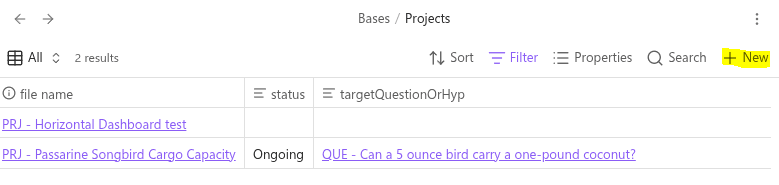
- Navigating to your “Projects” base in the “Bases” folder and selecting ”+ New”
The relationship between your Projects and your Discourse Graph
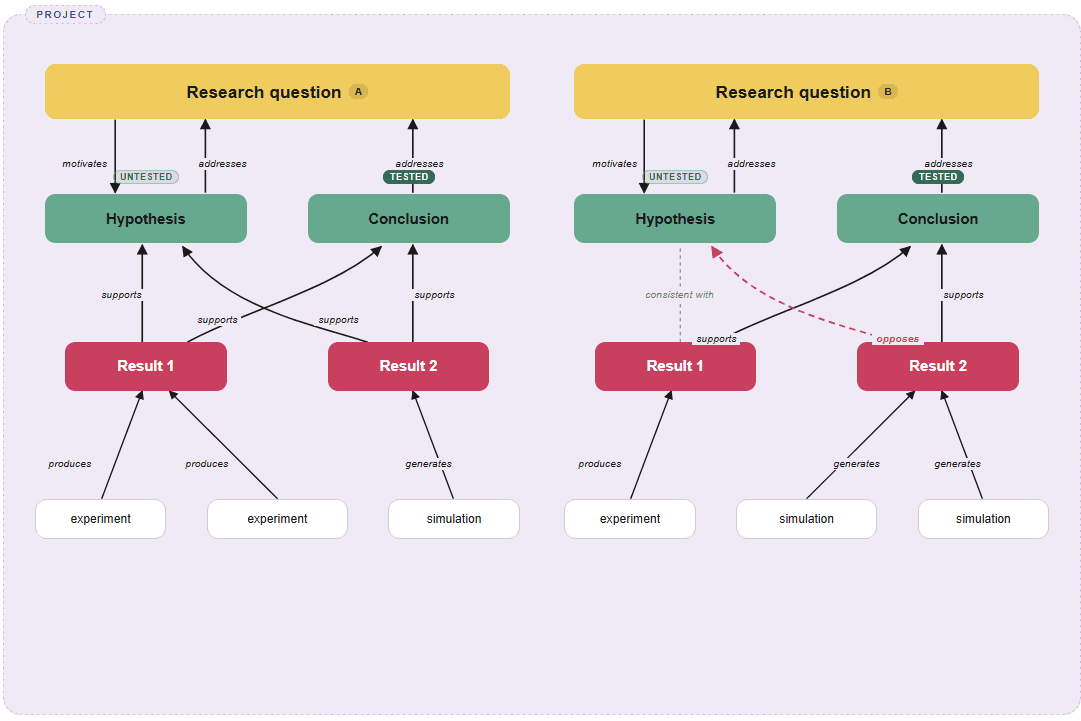
In the example vault, the Project is not treated as a discourse node but rather an organizational background for other nodes. You can see how this works in the Canvas - PRJ - Passarine Songbird Cargo Capacity: the Project contains 3 Questions:
- the original motivating question:
QUE - Can a 5 ounce bird carry a one-pound coconut? - a question that arose during the course of the initial investigation:
QUE - what is the airspeed velocity of an unladen swallow? - and a sub-question informing that second question:
QUE - African or European?
These three Questions are all part of the same work package, and while their respective edges may eventually meet, we’re not going to force it.
The relationship between your Projects and your Experiments
The Project is also the natural container for the Experiment node, which is a flavor of the Source node for laboratory work. Your Project will probably contain several experiments — you can see from the Experiments.base that each Experiment is associated with a Project via its frontmatter for easier queryability.
Learn more about creating and tracking experiments here.